

In the last article, I covered the three AI capabilities in the Microsoft ecosystem – M365 Copilot, Copilot Studio, and AI Builder and how to match each one to the right type of problem.
If you landed on Copilot Studio, the next question tends to come quickly.
What kind of agent should I actually build?
It sounds like a simple question. It usually isn’t.
“Agent” has become one of the most overloaded words in the Microsoft AI space right now. Teams use it to describe everything from a simple FAQ tool to a fully orchestrated multi-system workflow. The same word. Very different architecture. Very different consequences if you get it wrong.
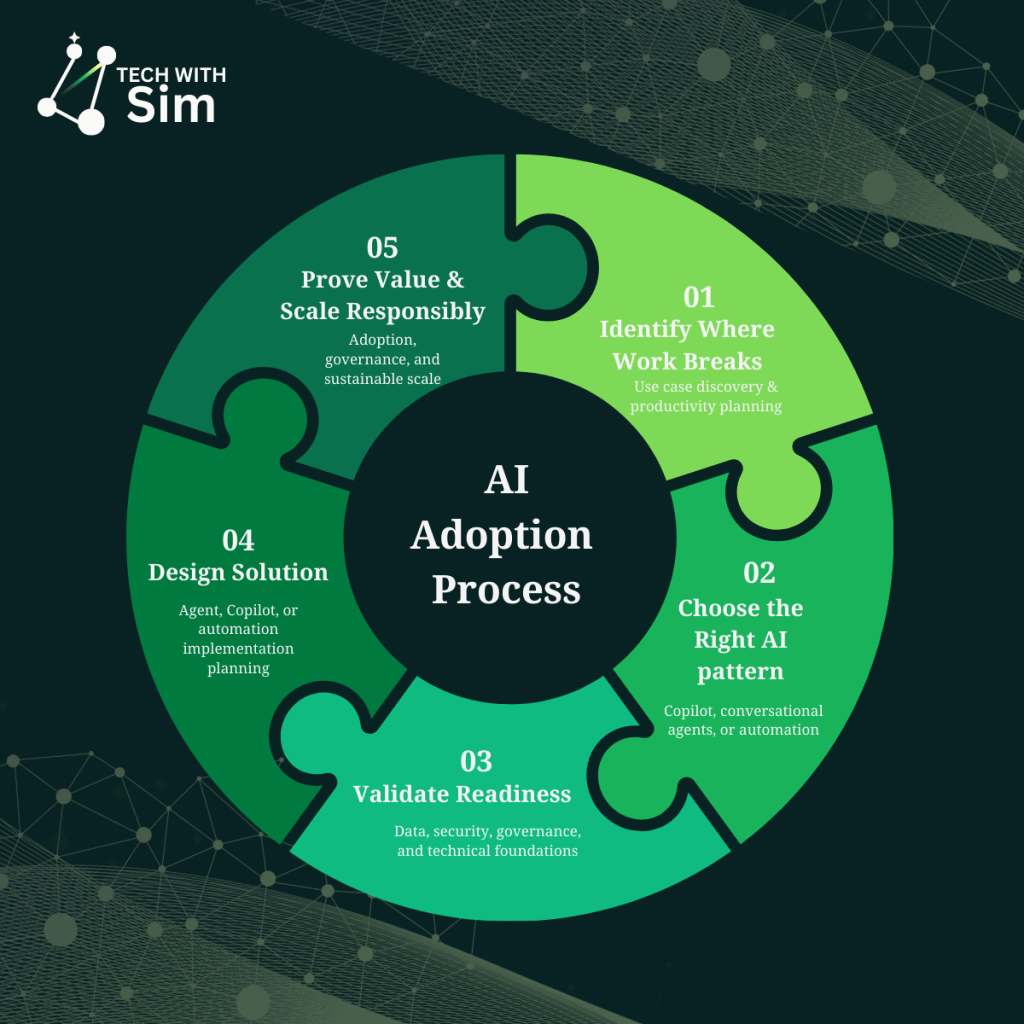
This article focuses on Step 3: understanding agent types – what they do, how they differ, and how they work together.
Three capability tiers
Agents in the Microsoft ecosystem operate at three distinct levels.
Retrieval
Retrieval agents find, reason over, and surface information.
They are grounded in knowledge sources – SharePoint, Microsoft Graph, Dataverse and use that context to answer questions, explain policies, and synthesise content on demand. They do not modify systems. They do not trigger workflows. They interpret and respond.
You’ll usually feel the need for one when:
- the same questions get asked repeatedly, and answers are buried in documents no one reads
- knowledge exists in the organisation but isn’t accessible in the moment it’s needed
- a few people spend significant time explaining things that should be self-serve
Common real-world scenarios include HR policy assistants, IT knowledge bases, compliance guidance tools, and onboarding support.
Retrieval agents are often underestimated. When knowledge is fragmented or inconsistently applied, a well-grounded retrieval agent can deliver immediate value before any workflow automation is involved.
Task
Task agents move from answering questions to acting on them.
They collect structured inputs, call connectors, create records, and trigger workflows. The user expresses intent. The agent interprets it and executes a defined operation.
This is where the architecture changes meaningfully.
The moment an agent touches a system of record, you are no longer building a knowledge tool. You are designing a workflow interface and that means thinking about data quality, error handling, ownership, and audit requirements.
You’ll usually feel the need for one when:
- people describe what they need in conversation but have to navigate a separate system to action it
- intake processes rely on manual handoffs that are slow and inconsistently followed
- the same request type is processed repeatedly with predictable inputs and outputs
Common real-world scenarios include IT access request agents, leave submission tools, procurement intake, and new starter workflows.
Autonomous
Autonomous agents plan. They determine what steps to take, coordinate across systems, and adapt based on what happens along the way.
This is not simply chat plus automation. It introduces runtime decision-making the agent figures out what to do next based on context, not a predefined flow.
Genuine autonomy is needed less often than people expect. Most use cases that appear to require it are better served by a well-structured task agent with clear escalation logic. Autonomy should solve real complexity not compensate for a process that hasn’t been properly designed.
How agents work together
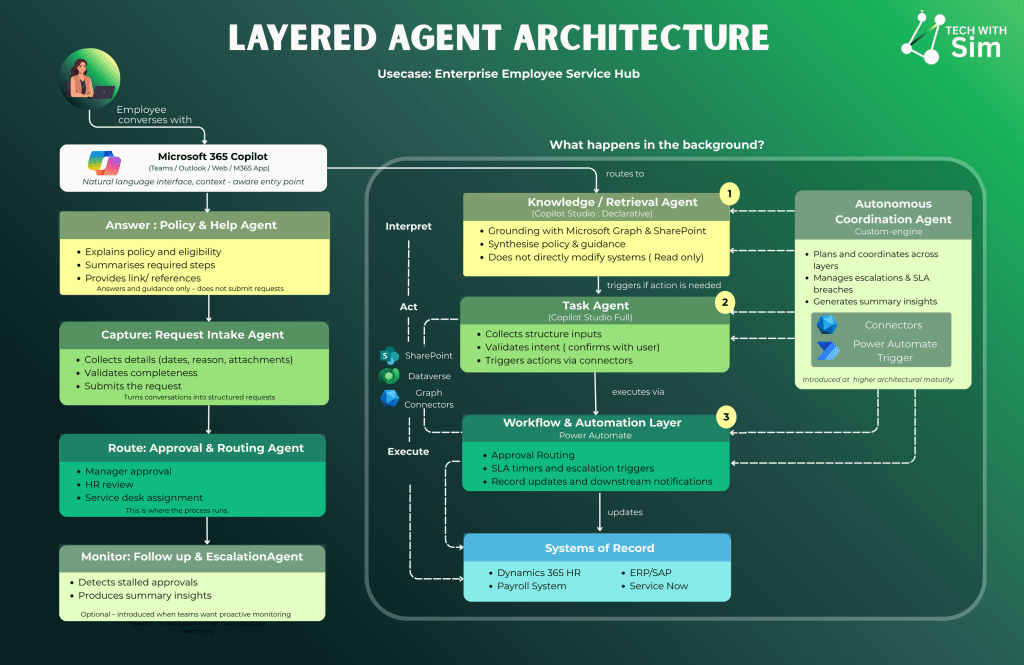
The most common mistake in early agent projects is trying to build one agent that does everything.
A better pattern is layered.
Consider a leave request scenario. An employee needs to understand their entitlement, submit a request, and have it processed. They open Copilot in Teams and ask:
“How much parental leave am I entitled to and what do I need to submit?”
The Policy & Help Agent retrieves the relevant HR policy from SharePoint, explains eligibility conditions, summarises the required steps, and provides links to the relevant documentation.
It answers and guides. It does not submit requests, create records, or trigger anything downstream.
The employee is ready to submit. They say:
“I want to apply for parental leave starting 1 September.”
The Request Intake Agent takes over. It collects the required details — dates, reason, supporting attachments. It validates completeness against policy rules. It turns the conversation into a structured request ready for processing.
The employee confirms before anything is submitted. The agent captures – it does not route or approve.
The intake agent has handed off a clean, structured request. Power Automate takes it from here.
The approval is routed to the employee’s manager. HR review is triggered. If a service desk assignment is required, it is raised automatically. SLA timers run in the background.
This is where the process runs. No AI reasoning. No interpretation. Deterministic, auditable, reliable execution – exactly what this stage requires.
Once approved, the systems of record are updated. The HR system reflects the approved leave. Payroll is notified. ERP and ServiceNow are updated as required.
These systems remain the source of truth. The AI layers sit above them – routing, guiding, capturing – but never replacing them as the authoritative record.
If an approval stalls, the Follow-Up & Escalation Agent detects the delay, sends reminders, and escalates to the appropriate lead. It produces summary insights on request patterns and SLA performance.
Introduced when teams want proactive monitoring. Not a day-one requirement – introduced at higher architectural maturity when the foundation layers are stable.
Each layer has one responsibility. Each uses the right tool for that responsibility.
This separation is not over-engineering. It is what makes a solution testable, governable, and maintainable as it grows.
A question before you design
Before defining any agent, answer this clearly:
What is this agent responsible for and where does its responsibility end?
If the answer is surfacing knowledge retrieval. If the answer is executing a structured action task. If the answer involves coordinating dynamically across multiple systems consider whether your organisation is ready for that level of complexity before committing to it.
Capability should match the problem. Not the ambition.
What comes next
Understanding agent types is one part of the picture.
The harder question and the one most teams skip is whether the organisation is actually ready to deploy this responsibly.
Data quality, permission boundaries, ownership clarity, environment strategy. These aren’t implementation details. They’re the difference between AI that works in production and AI that creates problems you didn’t plan for.
The next article covers exactly that.
A useful question to leave with:
If you were to build an agent today do you know where its responsibility would end?

 Tech with Simran
Leave a comment