

In the last article, I covered how agents layer together in a Microsoft architecture – retrieval, task, automation, and the optional orchestration layer that sits above.
The architecture makes sense. The technology exists. The use case is clear.
And yet this is exactly the point where most Microsoft AI projects quietly begin to fail.
Not because the design is wrong. Because the organisation was not ready to support it.
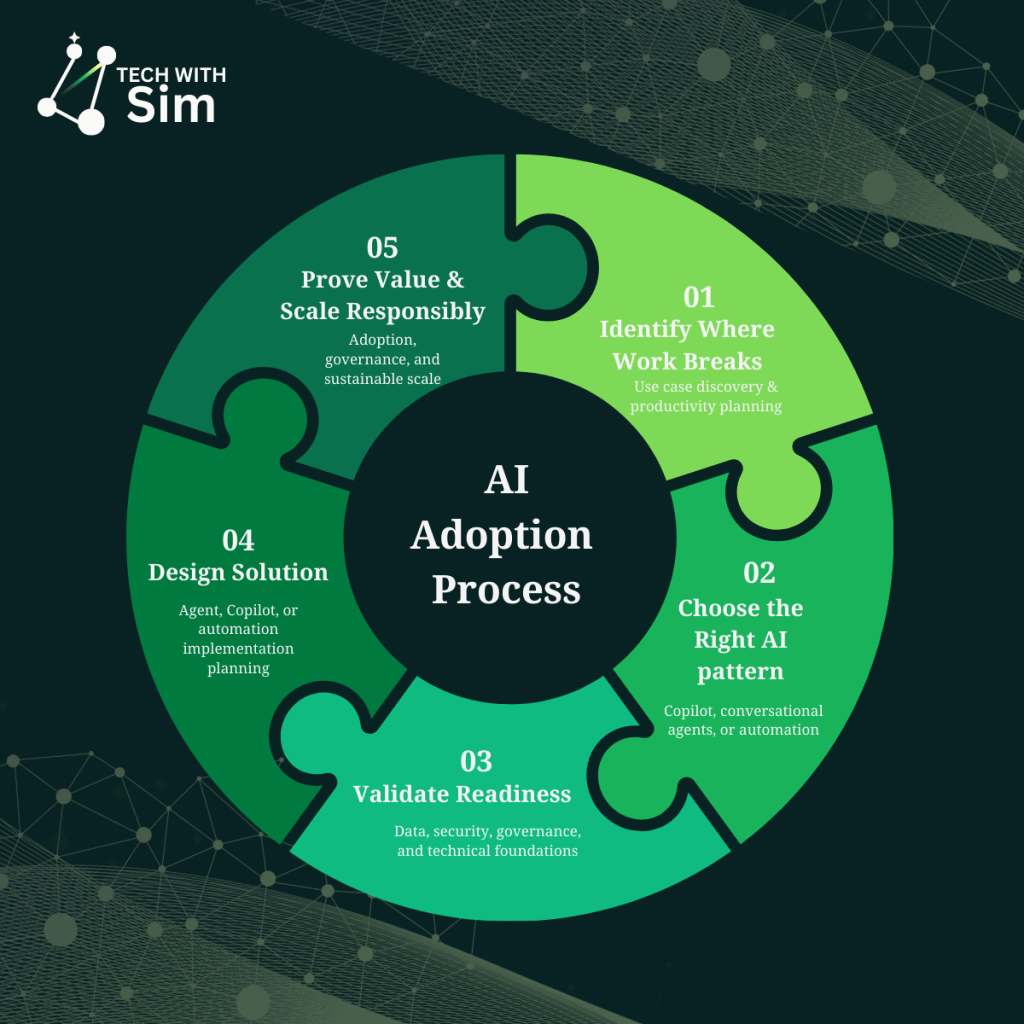
This article focuses on Step 4 in the AI adoption process: validating readiness – before you build, not after.
Why readiness is the conversation nobody wants to have
Readiness conversations are uncomfortable because they surface problems organisations already know exist but have not prioritised fixing.
Messy SharePoint structures. Inconsistent permissions. Data that lives in spreadsheets nobody owns. Processes that work because the right person is involved not because the system is designed well.
AI does not fix these problems. It exposes them at scale.
The employee service hub scenario from the last article is a good example. The architecture is sound. But if the HR policy documents in SharePoint are outdated, inconsistently formatted, and spread across twelve site collections with no governance the knowledge agent will retrieve and synthesise the wrong information confidently.
That is not an agent problem. It is a readiness problem.
Five dimensions of organisational readiness
Readiness is not a single checklist. It spans five distinct dimensions and most organisations have uneven maturity across them.
Data and knowledge quality
The first question to ask about any agent you plan to build: is the knowledge it needs to retrieve accurate, current, and structured well enough to be useful?
This goes beyond whether documents exist. It asks whether they are maintained, whether they reflect current policy, whether they are stored where an agent can actually find them, and whether the information is consistent across sources.
You will know this is a problem when subject matter experts routinely correct what the automated system surfaces. When the answer depends on who you ask. When the most accurate version of something lives in someone’s inbox.
Permission architecture
Microsoft 365 Copilot grounds its responses in content the user has access to. That means your existing permission model directly shapes what the agent can see – and what it cannot.
If permissions are overly broad, the agent may surface content users should not see. If permissions are too restrictive, the agent will be unable to retrieve what it needs to answer accurately.
Neither failure mode is the agent’s fault. Both require deliberate permission design before deployment.
Ownership clarity
Who owns the agent? Who owns the process it touches? Who owns the outcome when something goes wrong?
These questions sound administrative. They are architectural. Without clear ownership, agents get deployed without escalation paths, without update cycles, and without anyone accountable for accuracy over time.
The most common failure mode here is not a technical error – it is an agent that was accurate at launch and degraded quietly over six months because nobody was responsible for keeping it current.
Process definition
Agents execute processes. If the process is not defined clearly enough to explain to a new employee, it is not defined clearly enough to automate.
This is where AI projects stall most visibly. Teams discover mid-build that the process they intended to automate has five undocumented exceptions, two approval paths nobody agreed on, and a workaround that exists because the HR system cannot handle a specific edge case.
Fix the process first. Then design the agent.
Change appetite
The people this agent will affect – do they know it is coming? Have they been involved in defining how it should work? Do they understand what it does and what it does not do?
Adoption failure is rarely technical. It is almost always human. An agent that works perfectly but is not trusted by the people it serves has not delivered value. It has delivered a tool nobody uses.
A simple readiness scoring framework
Before committing to any agent build, score your organisation across these five dimensions. Use a simple three-point scale:
1 – Not ready: Significant gaps that will directly impact the agent’s effectiveness or trustworthiness.
2 – Partially ready: Foundations exist but need attention before or during the build.
3 – Ready: Solid enough to proceed. Monitor rather than fix first.
| Dimension | 1 | 2 | 3 |
|---|---|---|---|
| Data & knowledge quality | Outdated, inconsistent, ungoverned | Mostly current, some gaps | Accurate, maintained, structured |
| Permission architecture | Ad hoc, overly broad or restrictive | Partially structured | Intentional, documented |
| Ownership clarity | No clear owner | Owner identified, role unclear | Owner, escalation path, update cycle defined |
| Process definition | Undocumented, exception-heavy | Mostly documented | Clear, consistent, exception-handled |
| Change appetite | No awareness, resistance likely | Some awareness, mixed appetite | Stakeholders involved, trust building started |
A score of 10–15: proceed with confidence. A score of 7–9: proceed with a parallel readiness workstream. A score below 7: stop. Address the gaps before building.
What failure actually looks like
Three real patterns that surface repeatedly in Microsoft AI deployments when readiness is skipped:
The accurate but untrustworthy agent. The knowledge agent retrieves correct information but users do not trust it because they have seen it get things wrong before – usually because the source documents were inconsistent at launch. Trust, once lost in an AI tool, is very difficult to recover.
The agent that works in UAT and breaks in production. The process was clean in the test environment. In production, the exceptions arrived immediately – edge cases the process owner knew about but never documented because they handled them manually. The agent had no path for these scenarios and either failed silently or escalated everything.
The pilot that never scaled. The agent worked well for the ten users in the pilot. Scaling to the broader organisation revealed permission inconsistencies, ownership gaps, and change resistance that the pilot environment had masked. The project stalled not because the technology failed – but because the organisation was not ready for what came after a successful pilot.
The readiness checklist
Before you build, answer these honestly:
- Is the knowledge your agent needs to retrieve accurate and current today?
- Do your Microsoft 365 permissions reflect how you actually want information shared?
- Is there a named owner for the agent and the process it supports?
- Is the process documented clearly enough to hand to someone new?
- Have the people affected been involved in defining how this should work?
- Do you have a plan for keeping the agent accurate after launch?
If you cannot answer yes to most of these, the build is not the next step. Readiness work is.
What comes next
Readiness surfaces a specific gap in almost every Microsoft AI project: the knowledge layer.
Data quality, grounding sources, SharePoint structure, Microsoft Graph boundaries – these are not IT prerequisites. They are design decisions that shape every agent you will ever build.
The next article goes deep on exactly that: the data and knowledge foundations that determine whether your agent actually works in production.

 Tech with Simran
Leave a comment